

Something slowing your business down?

Let's Figure it out!

Integrate Your Systems Seamlessly with IQ Link for SAP Business One

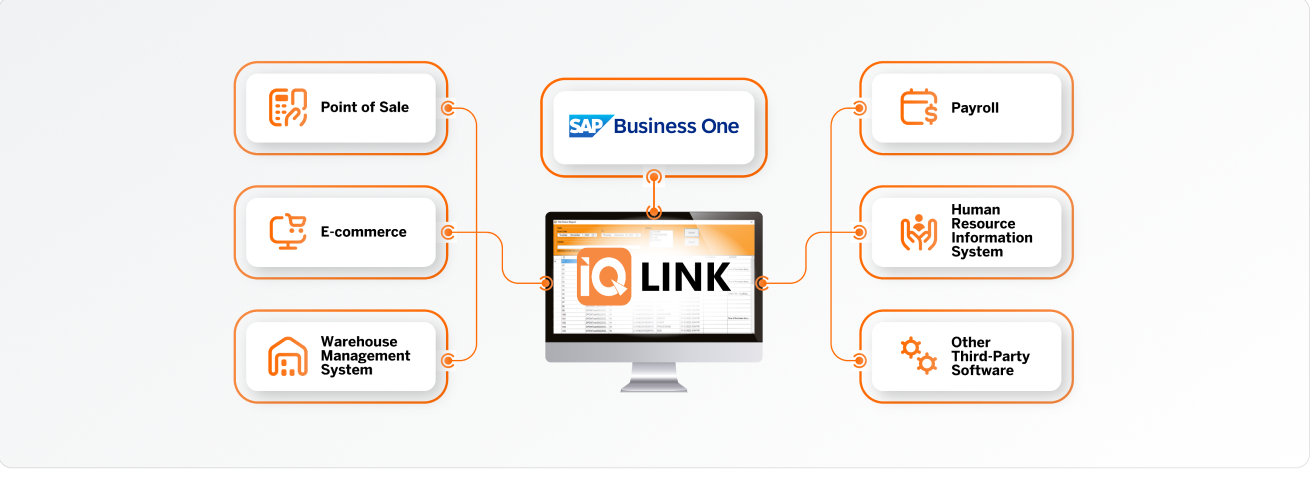
Connect SAP B1 to POS, e-commerce platforms, WMS, CRM tools, or custom legacy software. IQ Link ensures real-time or scheduled data syncing while monitoring for inconsistencies.

IQ Link software displayed on a monitor
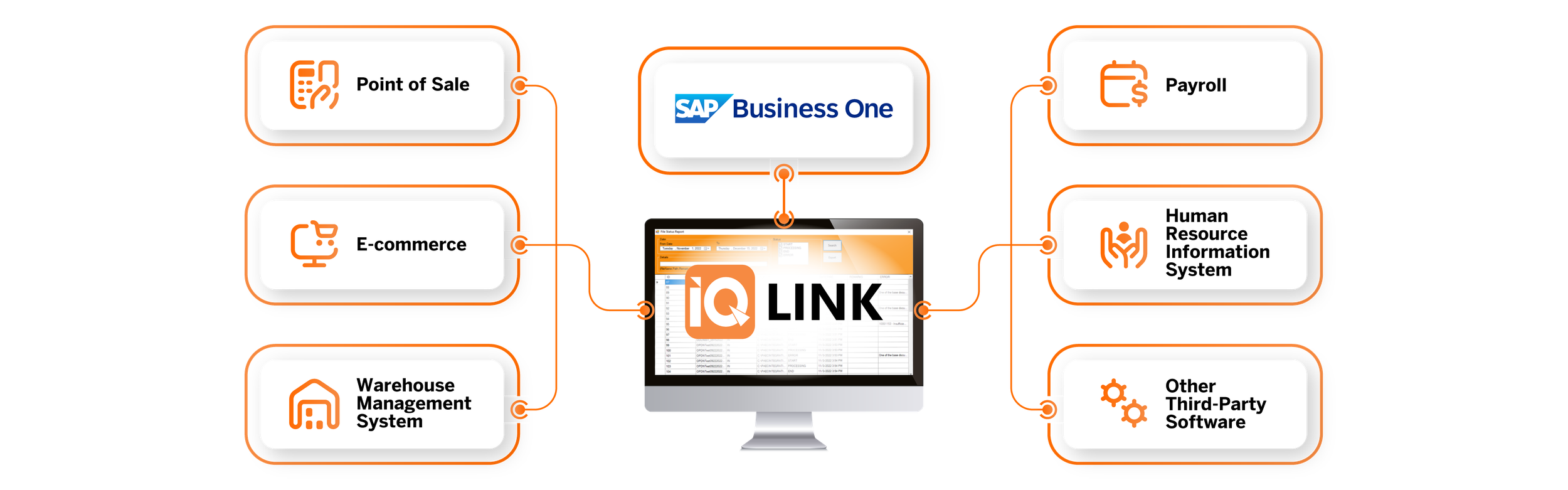
IQ Link connects SAP Business One with point of sale, payroll, e-commerce, HRIS, warehouse management and other third-party software
IQ Link product overview
IQ Link

Product Overview

IQ Link, formerly IQHub, is a middleware integration platform purpose-built for SAP Business One.

It acts as an intelligent bridge between SAP B1 and virtually any data source, including external databases, REST APIs, CSV/XML files, and other SAP B1 companies.

IQ Link helps businesses automate data movement, transform records, schedule integrations, track errors, and sync transactions across SAP Business One and third-party systems without relying on manual uploads or disconnected workflows.

Features

Integration Engine

Integration Engine

The Integration Engine is the core of IQ Link. It allows users to configure how data moves from a source system to a target destination, including how fields are mapped, transformed, validated, and posted into SAP Business One or another connected system.


FeatureDetails
Visual Field MappingDrag-and-drop-style wizard maps source columns to SAP target fields, including nested objects such as DocumentLines.ItemCode.
Transformation ModesDirect, Custom (static/template values with {placeholder} substitution), SQL Lookup Query, Service Layer OData Query, Formula.
Operation ModesCreate (POST), Update (PATCH by key), Upsert (check-then-create-or-update).
Auto-Create DependenciesAutomatically creates missing master data (Projects, Warehouses, Distribution Rules, Payment Terms) before posting document
SQL ↔ HANA TranslationSupports automatic SQL Server to SAP HANA dialect translation for UserQuery migrations.
FormattedSearches RemapAuto-remaps FMS QueryIDs between SAP companies by matching UserQuery descriptions.
Scheduling & Execution

Scheduling & Execution

The Scheduling & Execution layer allows integrations to run manually or automatically based on configured schedules.

FeatureDetails
8 Schedule TypesSupports Every N seconds, Every N minutes, Every N hours, Daily at specific times, Weekly with day + time entries, Monthly dates, Start of month, and End of month.
Background ExecutorRuns as a Windows background service — integrations execute even with the dashboard closed
Auto-ResumeOn server restart, all integrations with running status automatically resume
Manual TriggerOne-click "Execute Now" for ad-hoc runs
Overlap ProtectionPrevents concurrent executions of the same integration
CancellationMid-execution cancel support with row-level granularity
Error Handling & Retry

Error Handling & Retry

IQ Link includes configurable error handling and retry controls to help prevent failed integrations from disrupting the entire sync process.

FeatureDetails
Error PoliciesStop on first error, Continue on error, Retry then stop
Configurable Retry1–N retry attempts with 2-second delay between attempts
SAP Session RecoveryAutomatic re-authentication on 401 (session expiry) without counting as a retry
Skip Synced RowsDeduplication via sync log — never re-processes a previously successful row
Skip "Already Exists"Optionally marks SAP "already exists" errors as synced to prevent infinite retry loops
Audit Trail & Logging

Audit Trail & Logging

IQ Link provides detailed audit trail and logging features so every integration run can be reviewed, traced, and validated.

FeatureDetails
Per-Row ResultsEvery row records SUCCESS or ERROR with the SAP response message
Incremental Log WritingLog file updated in real-time as each row is processed (not just at batch end)
Rolling Log FilesSerilog with daily rotation, 30-day retention
Sync Log TablePersistent IQHub_SyncLogs table tracking every processed row key + timestamp
Last Synced AtPer-integration timestamp of last successful sync
Integration Import/ExportExport integration configs as JSON for backup/migration; import to restore
Supported Integration Methods

Supported Integration Methods

IQ Link supports multiple integration methods for moving data into and out of SAP Business One and other connected systems.

MethodRoleDetails
REST (JSON/OData)Source & DestinationFull SAP Service Layer proxy; Generic REST API connections with Bearer, API Key, or platform-specific HMAC auth
Direct SQL DatabaseSourceConnects directly to SQL Server databases, runs arbitrary queries, returns structured results
CSVSource & DestinationImport: File upload or folder watcher with auto-parse. Export: Bulk or transactional CSV generation with configurable delimiter
XMLDestinationBulk or per-transaction XML file export with configurable output folder and prefix
SAP Service Layer (OData)Source & DestinationNative OData queries ($filter, $select, $crossjoin) and full CRUD (POST/PATCH) on any SAP B1 module

Named Compatible Platforms

E-Commerce Platforms with Built-In Signed Auth

E-Commerce Platforms with Built-In Signed Auth

IQ Link includes built-in signed authentication support for selected e-commerce platforms.

PlatformAuth ProtocolStatus
ShopeeHMAC-SHA256 (partner_id + path + timestamp + access_token + shop_id)✅ Production
LazadaHMAC-SHA256 (sorted params, uppercase sign)✅ Production
TikTok ShopHMAC-SHA256 (app_secret-wrapped signing)✅ Production
Generic REST API Compatibility

Generic REST API Compatibility

Any platform that exposes a REST API can work out of the box through IQ Link’s Generic connection type.

PlatformCompatibilityNotes
WooCommerce✅REST API v3 with API Key/Secret or OAuth
Magento✅REST API with Bearer token
Toast POS✅REST API with Bearer or API Key
Lightspeed✅REST API with OAuth Bearer token
Xero✅REST API with OAuth 2.0 Bearer token
Salesforce✅REST API with OAuth Bearer token
HubSpot✅REST API with OAuth Bearer token
Custom ERPs✅Any system with a REST/JSON endpoint

Data Flow Clarity

IQ Link supports multiple source-to-destination flow directions. Each integration is configured independently, allowing users to define the source connection, destination connection, mapping logic, schedule, operation mode, and error handling policy per integration.

Supported Flow Directions

Flow TypeSource → DestinationConfigurable?
SAP → SAPSource SAP company → Destination SAP company✅ Per entity, per integration
SQL → SAPExternal SQL Server DB → SAP B1 module✅ One-way, configurable per entity
API → SAPExternal REST API → SAP B1 module✅ One-way, configurable per entity
CSV → SAPCSV file upload or folder watch → SAP B1 module✅ One-way, configurable per entity
SAP → CSVSAP B1 query → CSV file export✅ One-way, bulk or transactional
SAP → XMLSAP B1 query → XML file export✅ One-way, bulk or transactional
API → APIExternal REST API → External REST API✅ One-way, configurable per entity
SQL → APISQL Server → External REST API✅ One-way, configurable per entity
Per-Integration Configuration

Per-Integration Configuration

IQ Link, formerly IQHub, is a middleware integration platform purpose-built for SAP Business One.

It acts as an intelligent bridge between SAP B1 and virtually any data source, including external databases, REST APIs, CSV/XML files, and other SAP B1 companies.

IQ Link helps businesses automate data movement, transform records, schedule integrations, track errors, and sync transactions across SAP Business One and third-party systems without relying on manual uploads or disconnected workflows.

Pricing

IQ Link can be licensed based on the client’s deployment and integration requirements.

Pricing
ModelDescription
Per ConnectionLicense fee based on the number of active SAP/DB/API connections
Per IntegrationLicense fee based on the number of configured integrations
Flat LicenseSingle deployment license with unlimited integrations and connections
SubscriptionMonthly/annual SaaS-style subscription with support

IQ Link has no per-transaction volume charges. Once licensed, it can process unlimited rows and transactions at no additional cost.

This is a key differentiator against cloud iPaaS platforms that charge per API call.

What’s Included:

  • Full middleware platform (backend + dashboard)
  • All integration types (SAP, SQL, API, CSV, XML)
  • Background scheduler with auto-resume
  • AES-256 credential encryption
  • Audit trail and logging
  • Docker deployment support
Implementation Timeline

Implementation Timeline

IQ Link implementation depends on the number of integrations, mapping complexity, source systems, validation requirements, and deployment setup.

PhaseDurationActivities
Discovery & Setup1–2 daysInstall IQ Link on client server (Windows Service or Docker), configure SQL Server, connect to SAP Service Layer, verify connectivity
Connection Configuration0.5–1 daySet up all SAP connections, DB connections, and API connections with credential encryption and testing
Integration Design1–3 days per integrationDesign source queries, configure field mappings, set up transformation rules (lookups, custom values), define schedule
Testing & Validation1–2 days per integrationPreview source data, execute manual test runs, validate SAP document creation, review error handling
Go-Live & Monitoring1 dayEnable background scheduling, verify auto-resume, confirm logging and audit trail
Handover & Training0.5–1 dayDashboard walkthrough, create/edit integration training, troubleshooting guide
Typical Integration Timelines

Typical Integration Timelines

ScenarioEstimated Duration
Discovery & Setup3–5 business days
Connection Configuration1–2 weeks
Complex (10+ integrations, SAP→SAP migration, e-commerce multi-platform)2–4 weeks
Enterprise (multi-company, multi-platform, custom transformations)4–8 weeks

Frequently Asked Questions (FAQ)

What types of systems can IQ Link integrate with SAP Business One?

IQ Link can connect SAP B1 with a wide range of systems, including:

  • Point-of-Sale (POS) software
  • E-commerce platforms
  • Warehouse Management Systems (WMS)
  • CRM tools
  • Custom legacy systems

If your software supports data exchange (via APIs, file-based imports, or database-level sync), it can likely be integrated through IQ Link.

How does IQ Link handle data inconsistencies between systems?

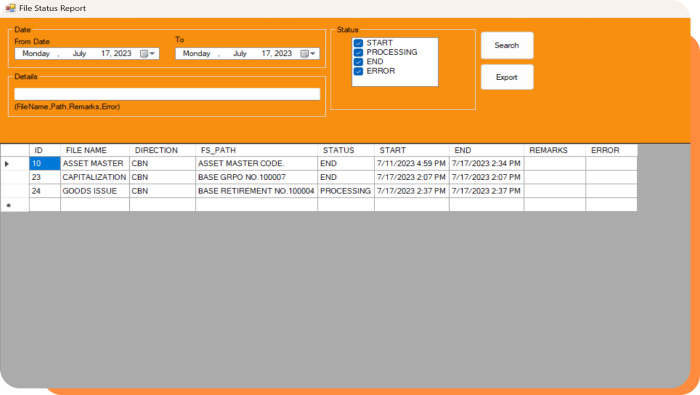
IQ Link features a built-in status report that flags mismatched or missing data in real time. This allows users to proactively correct issues before they affect operations or reporting, helping maintain data integrity across connected systems.

Is the integration done in real time or in batches?

IQ Link supports both real-time and scheduled (batch) data synchronization, depending on the needs and capabilities of the systems being integrated. Real-time syncing is ideal for operations like inventory or sales, while batch sync may suit reporting or legacy system updates.

Can IQ Link be customized to fit our unique system architecture?

Yes. IQ Link is highly adaptable and can be configured to match your specific business logic, field mappings, and data transformation requirements. Our team will assess your existing infrastructure and develop a custom integration plan that works for your operations.

How do we monitor or troubleshoot integration issues?

IQ Link includes a user-friendly dashboard where you can view integration logs, check status reports, and identify sync errors or delays. This transparency empowers your IT or operations team to quickly diagnose and resolve any issues.

How long does integration with IQ Link usually take?

The timeline depends on the number of systems being integrated and the complexity of their data structures. Simple one-way connections can be set up in a matter of days, while more complex bi-directional syncs may take several weeks.

How do we know if IQ Link is the right solution for our integration needs?

If you use multiple disconnected systems and want to centralize your data in SAP B1—or reduce the time spent on manual reconciliation—IQ Link is a smart solution. A consultation and system audit can help determine the best-fit integration strategy for your business.

Will integrating systems via IQ Link affect our current SAP setup?

No. IQ Link is designed to integrate without disrupting your existing SAP Business One configuration. It works alongside your current setup and enhances it by bridging data between platforms.

We'd like to hear from you

Tell us about your business and we will show you how SAP Business One and the IQ Suite can streamline your operations, compliance and growth.

+63 917-630-4848